

How to create a new post in WordPress

by admin
How to create a new post in WordPress

We will study how to create a new post in WordPress. Publish is used to make the post available to all the users wherein every user can view that post. Easy process publishing a new post in WordPress.
Following are the steps to publishing Posts in WordPress.
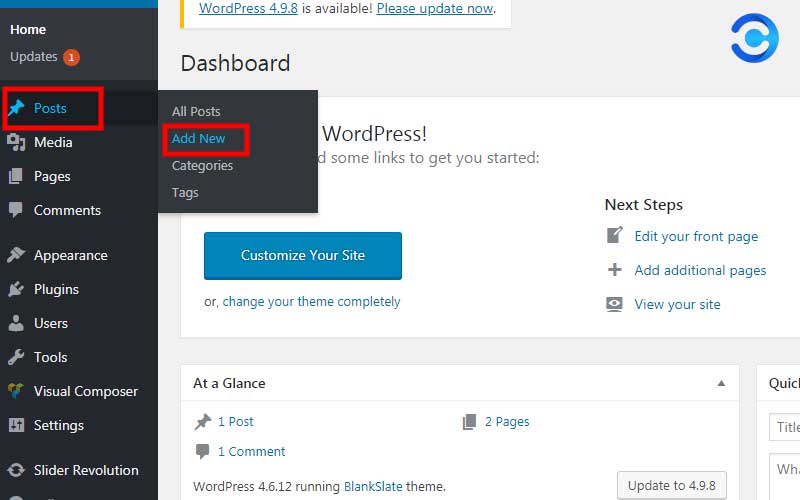
Step (1) − Click on the Posts → Add New in WordPress.
Step (2) − You will get the editor page of the Post as shown in the screenshot. You can use the WordPress WYSIWYG editor to add the actual content of the post.
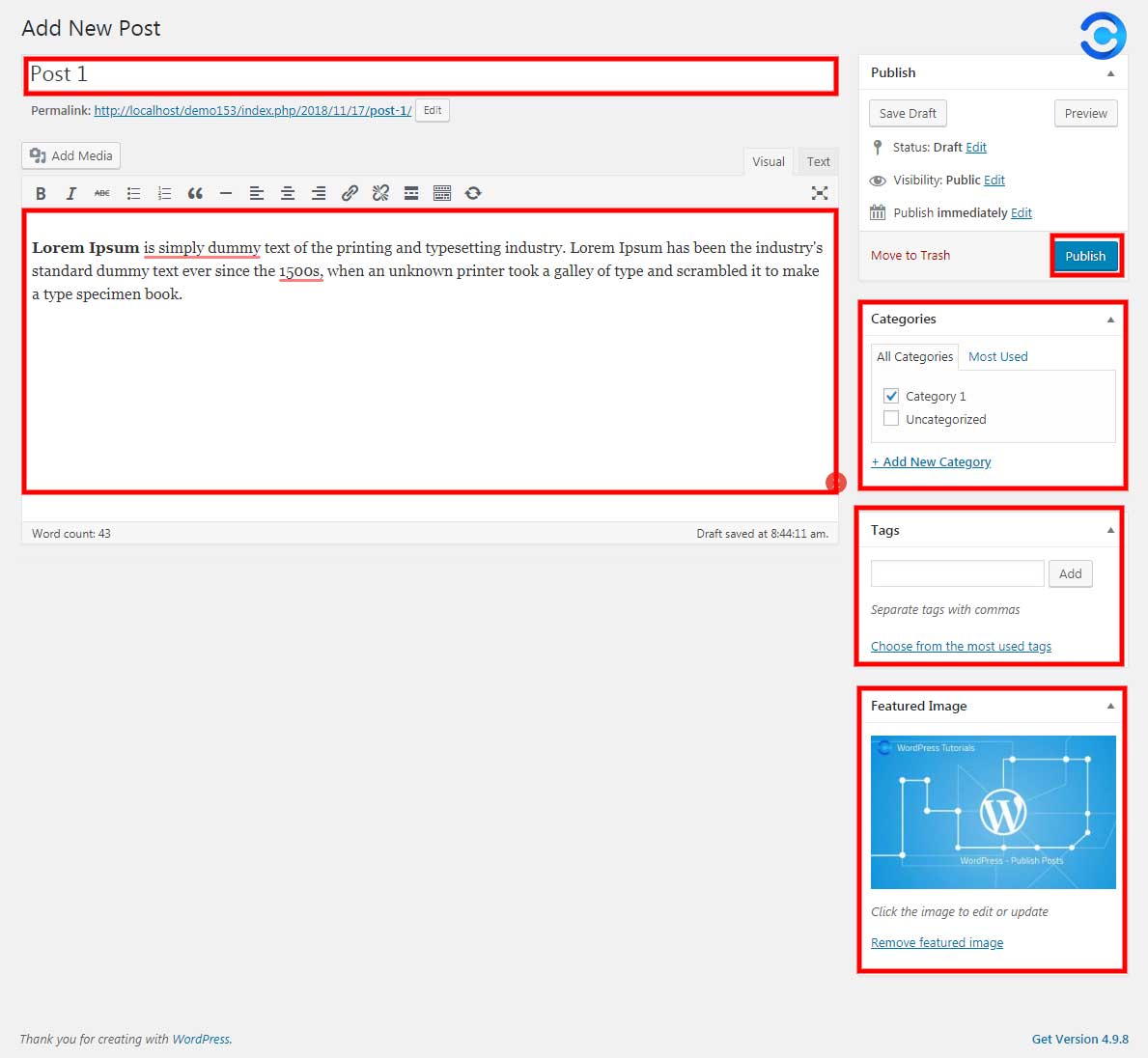
Step (3) − Click on Publish button to publish your post.
After clicking on publish button, your posts get published for the user to view it.
Recommended Posts
How to add Categories to WordPress
February 4, 2016

Installed Taxonomies and Post Types
February 4, 2016

Start with WooCommerce in 5 Steps
February 4, 2016